Is the photo to sprite converter free and private?
Yes. Conversion and export run in your browser, with no payment or account required.
Use this photo to sprite converter to turn an existing photo or PNG into one sprite-style image, without AI redrawing.
Drag your image here or click to choose
Supports PNG, JPG, GIF, and WEBP — up to 10MB
Want to test it first?
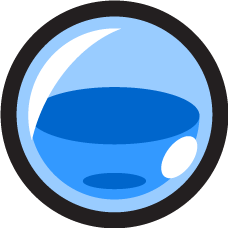
A mana potion icon is a useful PNG to sprite example: one item, a clear outline, and no scenery competing for pixels. This source is artwork, not a photo; smaller highlights soften as the pixel grid gets coarser.
Source PNG228 x 228
Downloaded PNG38 x 38

Actual conversion: Pixel Size 6; Palette None; dithering off; Brightness, Contrast, Saturation 0. PNG, Pixel size export, Transparent background on. Transparent corners remain in the downloaded file; gray is only the display background. Images shown at a matching display size.
Source: Free Health and Mana Potions by bevouliin.com (CC0). Original PNG used unchanged; result downloaded from this tool without retouching.
| Setting / start | Effect |
|---|---|
| Pixel Size 6 | Try 3 for finer detail or 12 for coarser blocks. The same value gives different grid dimensions on different-sized sources. |
| Palette None | Keeps source colors. Try Pico-8 for a fixed retro palette, or generate a palette from your image. |
| Dithering Off | With a limited palette, adds dots to soften color transitions; can make small outlines noisy. |
| Brightness / Contrast / Saturation 0 / 0 / 0 | Change lightness, tonal separation, and color intensity. Leave at 0 to judge pixel reduction alone. |
Preview zoom changes only the on-screen view, not the export dimensions. Select PNG and download after choosing the size.
With Transparent background on, PNG can preserve existing transparent areas; it cannot automatically remove an opaque background.
Yes. Conversion and export run in your browser, with no payment or account required.
Yes. PNG files work directly, including those with existing transparency. There is no need to convert them to JPG first.
Crop to one clear subject and remove unwanted backgrounds in another editor before uploading. If a pale fringe remains, inspect the source on light and dark backgrounds and clean its edge pixels; a different palette alone will not remove the fringe. Small faces and fine text may need manual redrawing after conversion.
No. The output is one still image. Generating poses, animation frames, or a sprite sheet requires a separate sprite or animation editor.
Use the dedicated 16x16 or 32x32 converter for a fixed canvas. This page reduces each dimension by Pixel Size, rounded down. Very large inputs are resized for browser processing, so check the loaded dimensions rather than assuming Original size always matches the untouched file.